
0
iTel S23 S665L Flash File Care Firmware Tested Rom
iTel S23 S665L Flash File Download. ” iTel S23 S665L Stuck Room on the logo (hangs on boot), it usually means the iTel S23 S665L Firmware is corrupted or there’s an issue in the system partition. Let me break this down for you step by step:
iTel S23 S665L Flash File Care Firmware Tested Rom
🔧 1. What Causes Logo Hang?
-
Corrupted firmware
-
Incompatible or partial iTel S23 S665L flash file
-
Improper flashing process
-
System file modification (rooting, etc.)
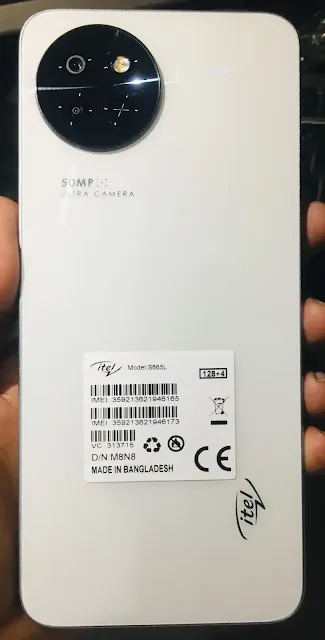
S665L-F065OPRSUVApAqAr-S-GL-20250207V533
Call: 01884721503 – Bkash 01854302180
📂 2. Which File to Use?
You must use the iTel S23 S665L official stock firmware (flash file) for iTel S23 S665L. Make sure:
-
The version matches your model exactly (even the region if specified).
-
The file includes: Full Firmware Flash
-
scatter.txt -
preloader_xxx.bin -
boot.img -
system.img -
recovery.img -
and other partition images.
-
🧰 3. Which Tool to Use?
iTel S23 S665L uses a MediaTek (MTK and SPD) chipset, so use:
✅ SP Flash Tool
-
Best and safest for MTK-based phones.
Steps:
-
Download and install MediaTek USB VCOM drivers and SPD drivers.
-
Download the SP Flash Tool SPD Flash Tool
-
Load the scatter.txt Pac File from your firmware folder.
-
Select Download Only or Firmware Upgrade (never Format All + Download unless you’re sure).
-
Click Download, then connect the phone (turned off, with or without battery).
-
Wait for green OK confirmation.
⚠️ 4. What Can Cause Flashing to Fail?
-
Wrong firmware version
-
Driver issues
-
Bad USB cable/port
-
Battery not charged
-
Preloader mismatch (can brick the device)
📦 5. Where to Get the Flash File?
You can find it on:
-
Official iTel S23 S665L support site (if available)
-
Reputable firmware sites like:
Search for:
✅ 6. Checklist Before Flashing
-
Backup personal data (flashing will erase it)
-
Charge the phone (at least 50%)
-
Use the original USB cable
-
Don’t flash
preloader.binunless necessary
Do you already have the iTel S23 S665L flash file? I can help verify if it’s correct. Or if you tell me the build number from the recovery or back cover, I can guide you to the exact version.